
Noise mode samples the loudness around you through the microphone at short intervals and maps it onto your media volume: louder environment, higher volume; quieter environment, lower. It measures levels only — nothing is recorded or uploaded — and controls the system media stream, so it works with Spotify, YouTube, podcasts, anything.
How to auto-adjust phone volume to surrounding noise
The bus arrives and your podcast vanishes; the doors close and it's suddenly shouting. Manually chasing the right volume is a background chore you've probably stopped noticing — here's how to hand it off entirely.
01How noise-adaptive volume works
02Set it up in two minutes
- Install Autoboost and choose Noise mode
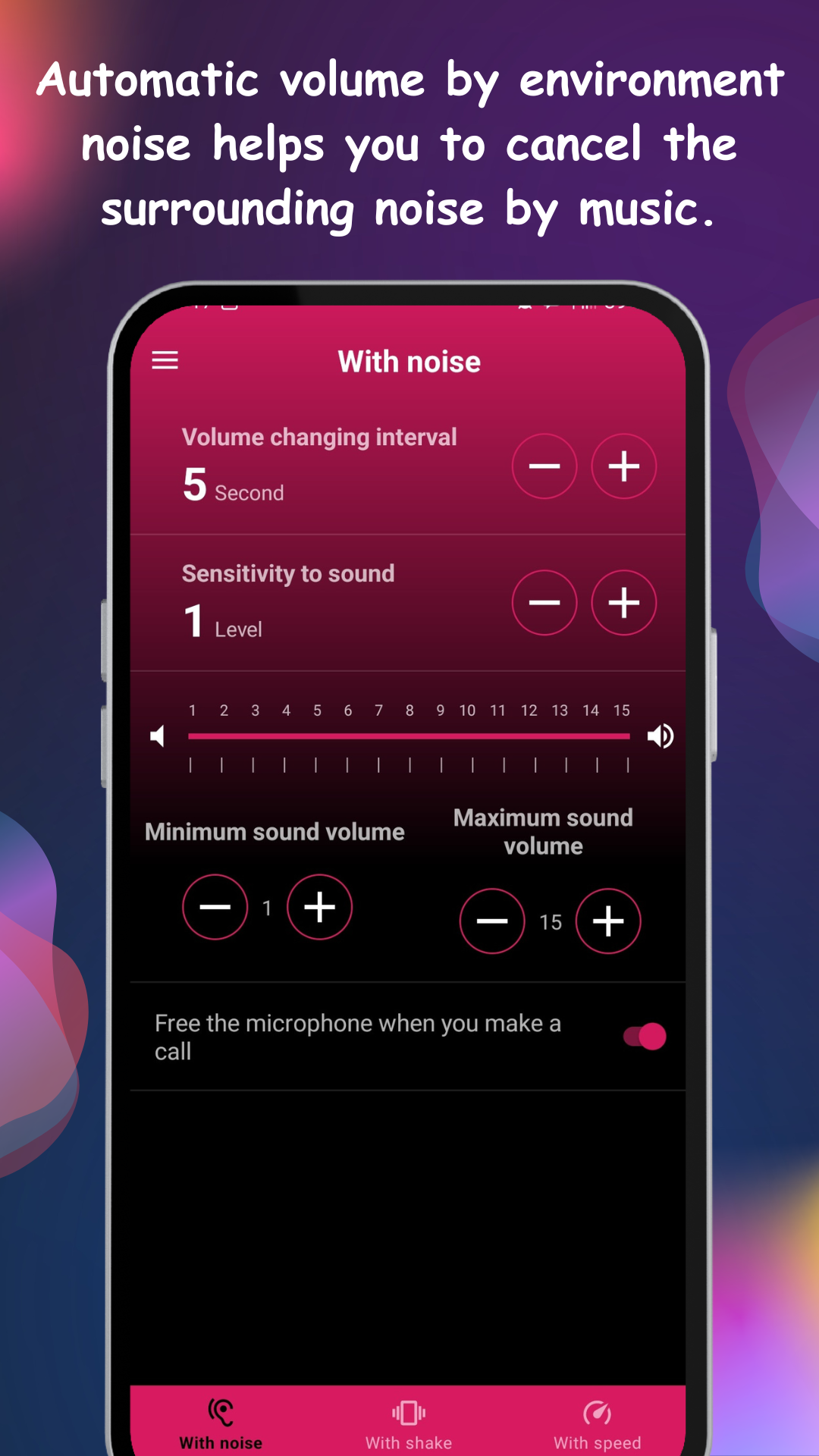
- Set your volume range — the floor for quiet rooms, the ceiling for the loudest commute
- Set the adjustment interval (how often it reacts)
- Run the calibration so the app learns your device's mic sensitivity
03Getting the sensitivity right
Two tips make it feel invisible. First, keep the reaction interval moderate — adjusting every couple of seconds tracks real environment changes without pumping on every passing voice. Second, mind the feedback loop: if music plays from the phone's own speaker, the mic hears it too, so calibrate with your typical listening setup. With headphones the loop disappears and tracking is most accurate.
04Where it shines
- Commutes: street → bus → office, without touching the rocker once
- Noise-masking with headphones: volume rises just enough to cover the din, then falls back — easier on your ears than max-volume all day
- Kitchen/workshop: podcasts stay audible over appliances and tools, then drop when they stop