
When someone hits "Delete for everyone", WhatsApp sends an instruction to remove the message from your chat view. But the message already reached your phone — it appeared in your notifications and was processed by the system. Anything that recorded it at that moment keeps a copy the deletion can't touch.
How to see deleted WhatsApp messages on Android
"This message was deleted." Few notifications are more frustrating — the sender decided you shouldn't read what they already sent you. Deletion only removes the message from the chat, though. If it was captured on arrival, it's still yours to read.
01Why deleted messages are recoverable at all
02The quick check: Notification history
Android 11+ has a built-in log: Settings → Notifications → Notification history. Turn it on and recent notifications — including deleted messages' text — stay visible for 24 hours. Limits: it must be enabled before the message arrives, it only holds text (no photos, videos or voice notes), and it's wiped daily and on reboot.
03The complete solution: save everything on arrival
Unseen was built for exactly this. It captures every incoming message the instant it arrives and stores it in a private inbox on your device — text, photos, videos and voice messages. Deleted, edited, retracted: whatever happens in the chat later, your copy stays.
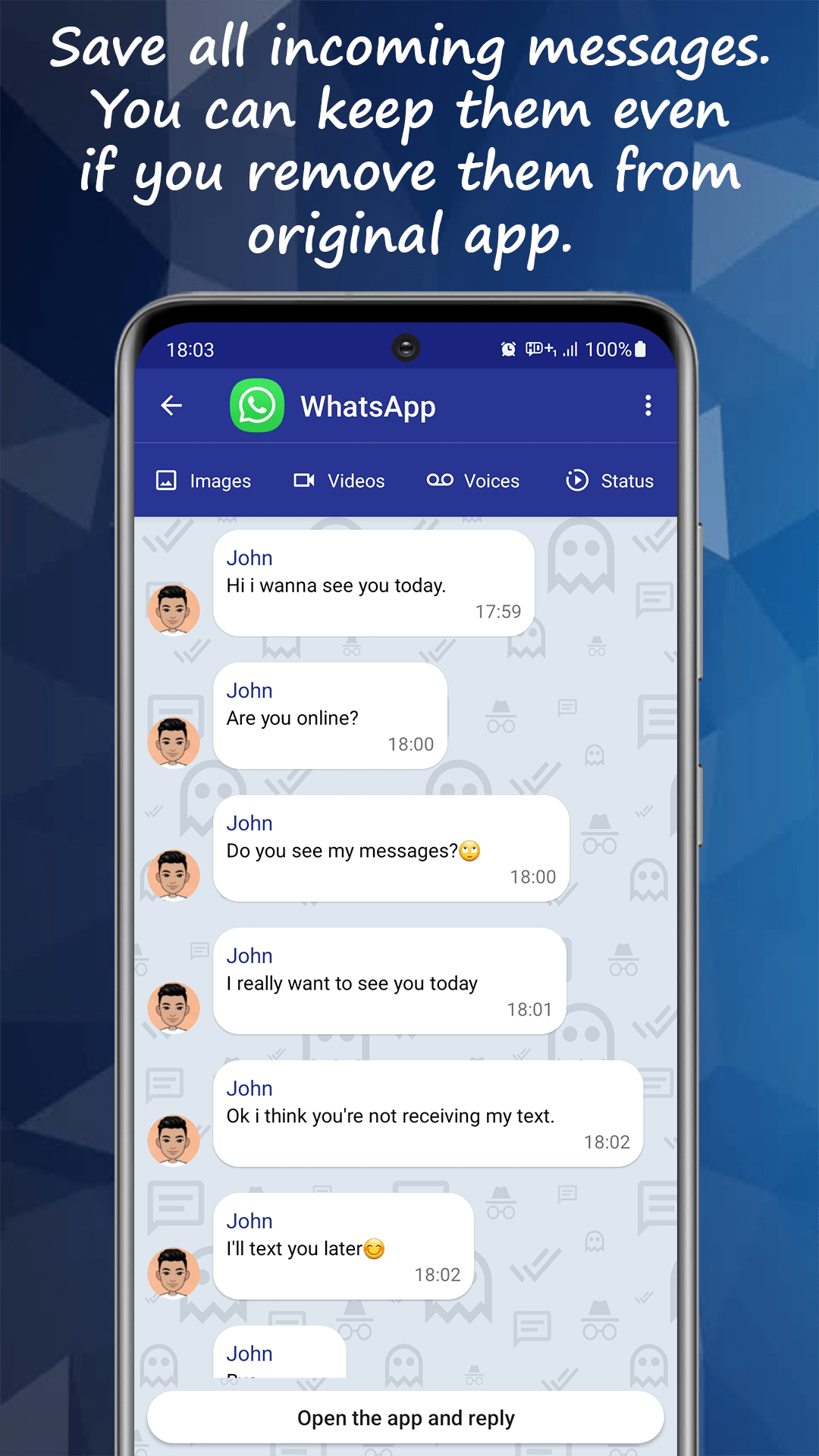
04Edited messages and statuses too
The same capture-on-arrival principle covers WhatsApp's newer escape hatches: edited messages remain readable in their original form, and statuses (stories) can be viewed and saved without notifying the poster — even if they're taken down minutes later.
Related questions
Unseen is an independent app and is not affiliated with, endorsed by, or sponsored by WhatsApp, Instagram, Facebook, Meta, Telegram, or any other messaging or social media service. WhatsApp is a trademark of WhatsApp LLC; all other product names, logos and brands are the property of their respective owners and are referenced here for descriptive, compatibility purposes only.