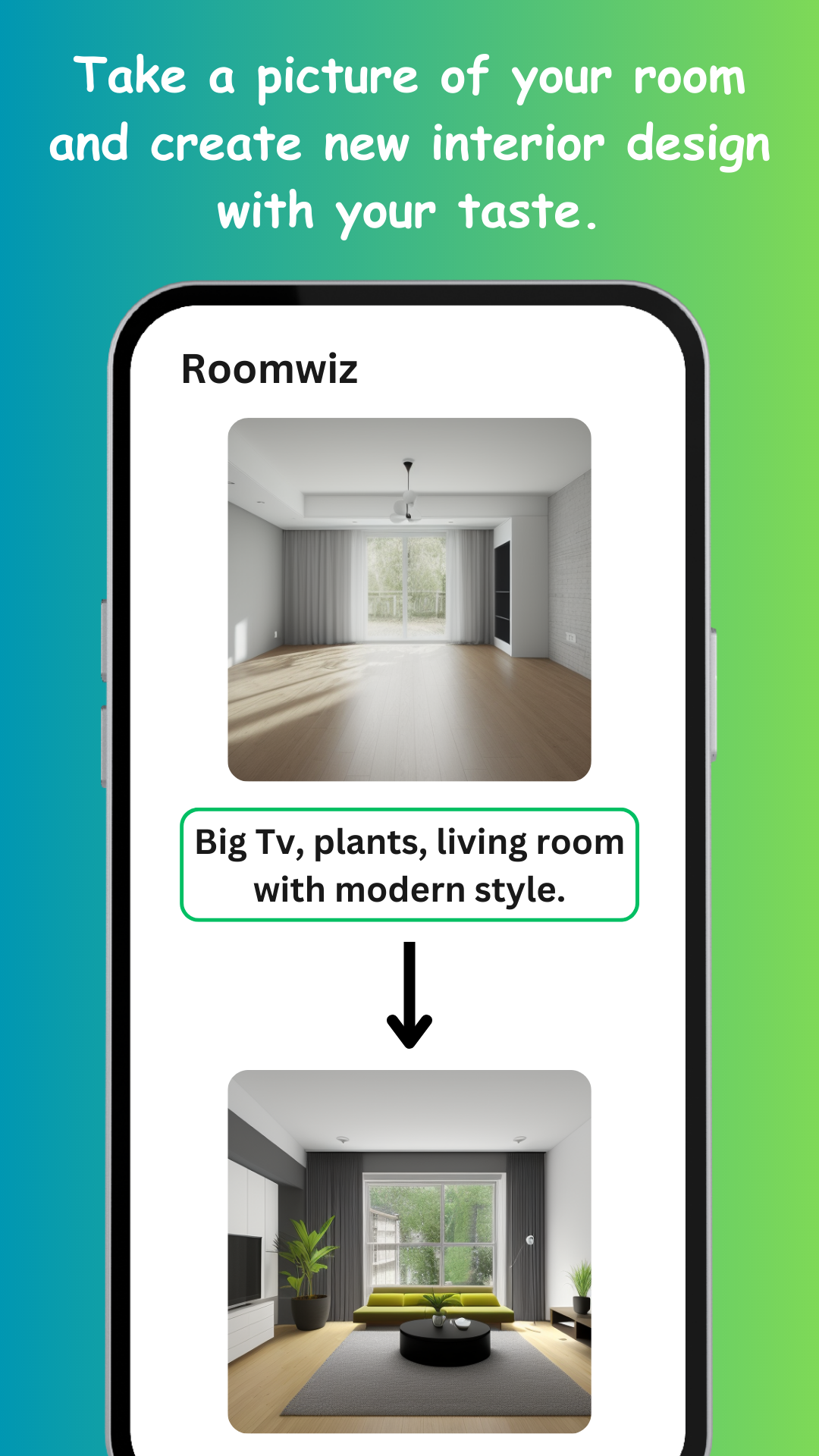
Interior inspiration usually fails at the same point: the gorgeous room on Pinterest isn't your room. AI redesign flips that — it starts from your actual space and shows what it could become. The quality of what you get back depends on a few controllable things.
The photo is your floor plan, so give the AI geometry to hold on to:
- Shoot from a corner or doorway so two-three walls and the floor are visible
- Daylight beats lamps — open the curtains
- Hold the phone level; extreme angles distort the room's proportions
- A normally tidy room is fine, but clear major clutter — the AI redesigns what it sees
Tell Roomwiz what the room is (living room, bedroom, kitchen…) so furniture makes sense, then pick the style direction: modern, vintage, minimalist, mid-century, or describe your own. Not sure? Generate one batch per style you're curious about — the point of seconds-per-design is trying everything.
The preferences field is where designs become yours. Name the things you're keeping or dreaming of: "black leather couch, walnut floor, big TV above console, lots of plants". Concrete nouns and colors work better than moods — "navy accent wall" beats "cozy vibes". Each generation is unique, so re-run with tweaked preferences to iterate toward the room you want.
Save the designs that land, and use them as a shopping and renovation brief: show the furniture store the couch shape, match paint to the palette, hand the contractor the "after" next to the "before". A saved AI design does what a mood board never quite does — it shows the destination in your own room.