Translate Voice for Wear OS app icon

Translate Voice for Wear OS

Wear OS translator · Offline packs · Two-way conversation

Your phone stays in your pocket. Speak into your watch and it translates out loud — 100+ languages, online or offline.

0+ downloads Everyone rated

Get it on Google Play

Free · Runs standalone on your watch · Offline language packs
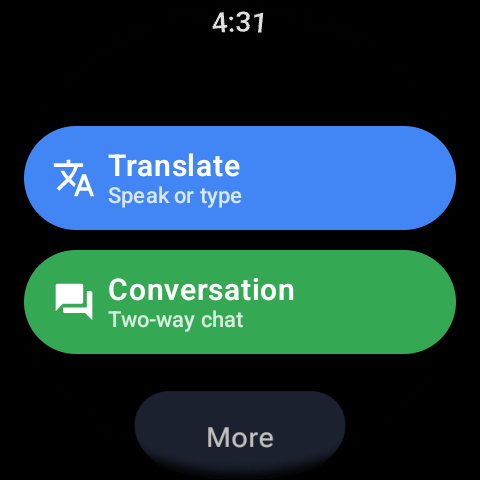
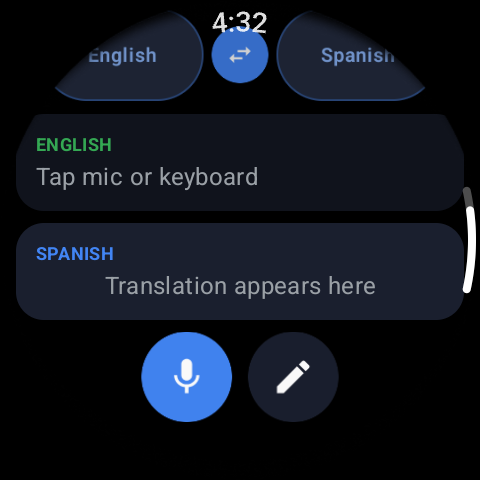
Translate for Wear OS main screen with a language pair ready to translate
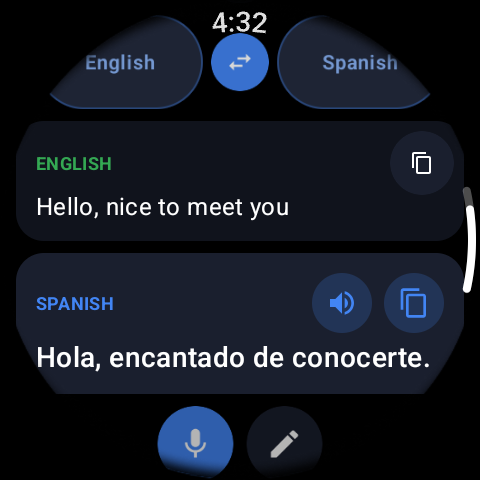
Speaking into the watch microphone and getting a spoken translation back
100+ languages
Works offline
Two-way conversation mode
Runs standalone on the watch

HOW IT WORKS

Translate in three steps

01

Install on your watch

Get it free from Google Play — it installs and runs on the watch itself, no phone screen needed during a conversation.

02

Pick your two languages and speak

Choose the language you speak and the one you need, then talk into the mic or type. The translation shows on your wrist and can be read out loud.

03

Switch to conversation mode

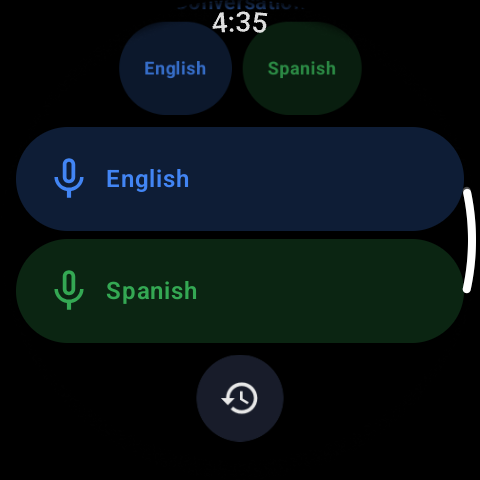
Hand the watch between you: each person taps their own language button, speaks, and hears the reply in their language — like an interpreter on your wrist.

Voice & text translate

Speak or type; the watch translates instantly and can speak the result out loud.

100+ languages

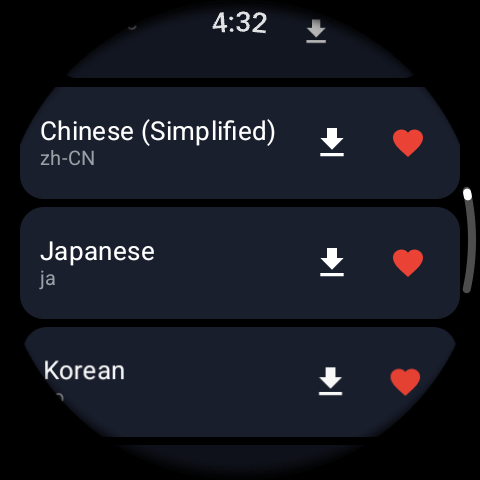
A fast language picker with search, on round and square displays.

Offline language packs

Download packs and translate with no internet and no roaming charges.

Two-way conversation

A button per language for real back-and-forth talk between two people.

Runs standalone

Everything happens on the watch — your phone stays in your pocket.

Translation history

Every phrase is saved so you can scroll back and reuse it.

FAQ

Frequently asked questions

How do I translate on my Wear OS watch?

Install the app on the watch, choose your language and the one you need, then tap the mic and speak (or type). The translation appears on your wrist and can be read aloud in the other language — no phone needed. Learn more →

Does it work offline and without my phone?

Yes. Download a language pack once and that pair translates with no internet — useful abroad with no roaming. The app runs standalone on the watch, so your phone can stay in your pocket. Learn more →

How does two-way conversation mode work?

Each language gets its own button on the watch. You tap yours and speak; the app translates and says it aloud in the other person's language. They tap their button and reply, and you hear the answer in yours. Learn more →

Which smartwatches does it support?

Wear OS smartwatches, including Galaxy Watch, Pixel Watch and TicWatch. Voice input and spoken output use the watch's microphone and speaker, and the layout adapts to both round and square screens.

Is it free?

Yes — free to download on Google Play, with optional in-app purchases.

Read the full Google Play description
Speak a language you don't know, straight from your watch. "Translate Voice for Wear OS" is a real-time voice translator for 100+ languages. Talk or type, and your smartwatch translates and answers out loud in their language, so the conversation keeps moving. Online, or offline with downloaded language packs. Whether you are traveling abroad, working with people who speak another language, or learning one yourself, this translator app does the job a pocket interpreter would. No phone in your hand, no pause in the conversation. Two Ways to Translate on Your Watch 1. Quick Translate — Voice and Text Speak and translate in one tap. Choose your language and the one you need, then talk into the microphone or type a phrase. The translation appears on your watch instantly and can be read out loud, so the other person hears it in their own language. 2. Conversation Mode — Two-Way Voice Translation This is a real two-way translator for two people. Each language gets its own button on the watch. You tap yours and speak — the app converts your speech to text, translates it, and speaks it aloud in the other person's language. They tap their button, reply in their own language, and you hear the answer in yours. It works like a live interpreter standing between you, except it fits on your wrist. Built for Wear OS Offline language packs, so you can translate with no internet and no roaming charges Runs standalone on your watch — your phone stays in your pocket Voice input with speech-to-text, and spoken translations with text-to-speech, so nobody squints at a small screen Fast language picker with search, glanceable screens, large tap targets and rotary navigation, on round and square displays Works on Wear OS smartwatches including Galaxy Watch, Pixel Watch and TicWatch Voice and Text Translation History Every translation is saved, in both Quick Translate and Conversation Mode. Scroll back through earlier phrases, reuse the ones you need, and pick up a conversation where you left off. Who This Watch Translator Is For Travelers ordering food, asking for directions, or checking into a hotel on a trip abroad. Business travelers in meetings and airports. People living in a country whose language they are still learning. Anyone who would rather glance at a watch than dig a phone out of a pocket mid-sentence. How the Wear OS Translator Works 1. Open the translator app on your Wear OS watch. 2. Pick your language and the one you are translating into. 3. Speak or type — in Conversation Mode, the other person taps their own button. 4. Read the translation on screen and hear it spoken out loud. 100+ Languages Supported European languages including Spanish, French, German, Italian, Portuguese, Dutch, Polish, Swedish, Russian and Ukrainian are supported, along with Turkish, Arabic, Persian (Farsi) and Hindi. Asian languages include Chinese, Japanese, Korean, Thai, Vietnamese and Indonesian, with more than a hundred others available. Put a real-time voice translator on your wrist, and stop breaking the conversation to reach for your phone.

A translator on your wrist.

Free · 100+ languages · Works offline

Get it on Google Play