
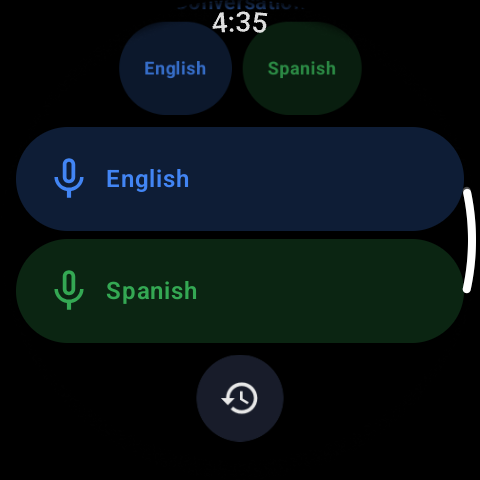
Instead of one translate button, the screen shows two — one per language. You tap your language and speak; the app converts your speech to text, translates it, and speaks it aloud in theirs. They tap the other button, reply in their own language, and the watch says the answer in yours. Each turn is spoken out loud, so nobody has to read a tiny screen to follow along.
How to have a two-way translated conversation from your watch
One-way translation is fine for reading a sign, but a real exchange — asking for directions and understanding the answer, negotiating a price, checking into a room — needs both sides. Conversation mode turns the watch into the interpreter standing between you, passing each sentence both ways.
01How conversation mode works
02Keeping the conversation flowing
A little etiquette makes it feel natural rather than robotic:
- Explain the buttons once — hold the watch so the other person can reach their side, or hand it back and forth
- Speak in short, complete turns and let each translation finish before the next
- Pause between turns so the mic doesn't catch both voices at once
- In a loud place, bring the watch a little closer to whoever is speaking
03Where it earns its keep
Conversation mode is the traveler's workhorse: the taxi driver who needs the address, the pharmacist matching a symptom to a medicine, the host explaining the door code, the market haggle. It also quietly helps at home or work — a quick exchange with a delivery driver, a neighbor, or a colleague who speaks another language — without either of you fishing out a phone.
04Two-way, even offline
Conversation mode uses the same language packs as the rest of the app, so with the pair downloaded it works with no connection — exactly where you tend to need a two-way exchange most: a foreign street, a border, a rural stop with no signal. Download before you travel and the interpreter on your wrist keeps working when the data doesn't.