
An online translator needs a round-trip to a server for every phrase — which means a bill, a delay, or nothing at all when the bars drop. An on-device language pack removes the middleman: translation happens on the watch, instantly, in airplane mode, on a plane, underground, or in a country where your SIM has no roaming. No data, no login, no surprise charges.
How to use an offline translator on your smartwatch (no internet or roaming)
The place you most need a translator — a foreign airport, a mountain village, a market with no signal — is often the place with no data. Roaming is expensive, airport Wi-Fi is a login maze, and an online translator is dead weight without a connection. Offline packs fix that: do one thing before you leave and your wrist works anywhere.
01Why offline beats a data connection abroad
02Download your packs before you go
- Open the app on the watch while you still have Wi-Fi (at home or the hotel)
- Choose the language pairs you'll need and download each pack
- Do this before boarding — packs are easiest to grab on solid Wi-Fi, not airport data
- Switch roaming off on the trip; the downloaded pairs keep translating regardless
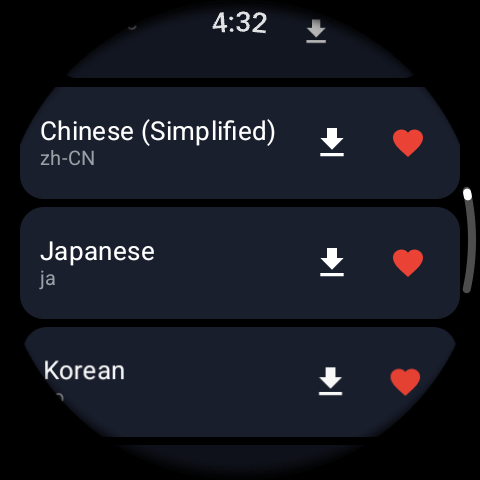
03Translating with no connection
With a pack installed, everything works the same — tap the mic and speak, or type, and get the translation on your wrist and out loud — just with the internet off. Speech recognition and the spoken reply run locally, so there's no lag waiting on a server. It's the difference between a gadget that only works on hotel Wi-Fi and one that works in the taxi from the airport.
04Managing packs and storage
Each language pack takes a little watch storage, so grab the pairs for this trip rather than every language at once, and remove ones you no longer need. A practical kit is your own language plus the one or two of where you're going. Online mode still covers the rare pair you didn't download, whenever you do have a connection.